Super Mario Bros vs Mario 3: Koji Kondo’s Underground Theme

Comparing the Super Mario Bros. and Super Mario Bros. 3 versions of Koji Kondo’s “Underground Theme,” focusing on how each uses the NES/Famicom soundchip.


Both themes use the NES’s five‑channel audio architecture, but the Super Mario Bros. 3 version introduces several major changes. Most obviously, SMB3 adds a new drum groove using lo‑fi DPCM samples and noise‑channel hi‑hats, but, also significantly, we look at how the two games use the pulse channels differently, shaping the timbre and overall character of each version of the theme.

These choices highlight not only Koji Kondo’s evolving creativity, but also composers were able to leverage the NES soundchip differently over the life of the system.

Whether you’re interested in game music, NES chiptune sound design, or how classic game composers created so much with so little, I hope this provides some background into how the “Underground Theme” remains one of the most iconic tracks in video game history.

More on the NES and Famicom sound here:


More “on video game sound here”Listening to Videogames” here:
Commodore 64 French House

Making some chiptune French house using the Commodore 64 and Alesis 3630.

C64 French House

Here, I’m using Paul Slocum’s CynthCart to turn my old C64 into a SID synthesizer. We run those licks into an Alesis 3630 compressor, side-chained to a kick drum (from an Alesis D-4), and then we have some pumping French house. Finally, we add some finishing touches with delay, reverb, and EQ in Logic Pro, as well as a cameo by an Electrix Warp Factory hardware vocoder.

Download the track here for free
:


More Commodore 64 sounds:

Commodore 64 Generative Sound Art

This program, by Noah Vawter, generates music by randomly writing values to the Commodore 64’s memory, specifically the parts dedicated for the C64’s SID (Sound Interface Device) chip. Keith Fullerton Whitman performed this piece on an emulator as a B-side on “hallicrafters, inc.” (2009).

My version seems to have a lot of clicks and pops, which I’m not sure is normal or not. My C64 is almost 40 years old after all.

Anyone try this with different results?

More on the program/piece

Pure Data Algorithmic Chiptunes (Pd to ArduinoBoy to Game Boy)

Pd running MIDI to an ArduinoBoy controlling a Game Boy running trash80’s mGB software to generate triumphant RPG music in real time.

This simple(-ish) Pure Data patch generates four channels of MIDI, corresponding with the four channels of the Game Boy’s sound: two pulse waves (channels 1&2), a triangle wave (channel 3), and noise (channel 4).

The arpeggio on pulse channel 2 is just a simple sequencer, with some “echos” created with [pipe] objects. The “drums” are created by a sequencer triggering random notes on a sequence too.

The remaining channels are slightly more sophisticated. First, we select a rhythm for each measure, then trigger notes on pulse channel 1 at that rhythm. There are only five notes (from a hemitonic pentatonic scale), and each note has two or three possible harmony notes, to be played by the triangle channel.

Chiptune Ambient (“Chip Ambient”)

Over the summer, I put together a video about time-stretching retro video game music in order to create ambient tracks:

I’ve not sure myself if I this is parody or not, but I now have a playlist where you can listen to 8 hours of time-stretched chiptunes that I call “Chip Ambient.”

Not guaranteed to improve your grades.

Getting Started in Arduino and Audio

I’ve put together some videos on using microcontrollers (like Arduino) for music and sound applications.

In these first few videos I go over how to do some simple synthesis with an Arduino, controlling pitch and timbre with potentiometers and light-dependent resistors (LDRs)–essentially putting together some Arduino chiptunes!

I originally made these instructional videos for my class, but I’m hoping to continue to build on this playlist if there’s interest.

intellivoice

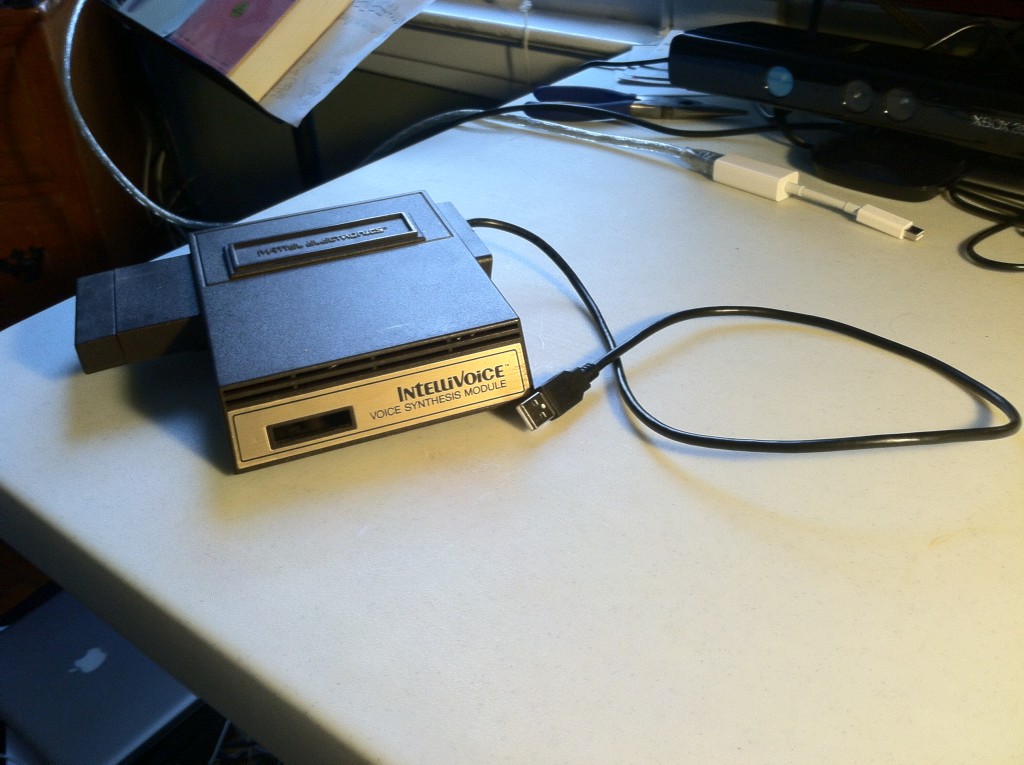
MIDI-Controlled Intellivoice Synth

Mattel Electronics presents…

Intellivoice
Boom!

It’s been a long time since I started this project, but I’ve finally got my Intellivoice Synth running.

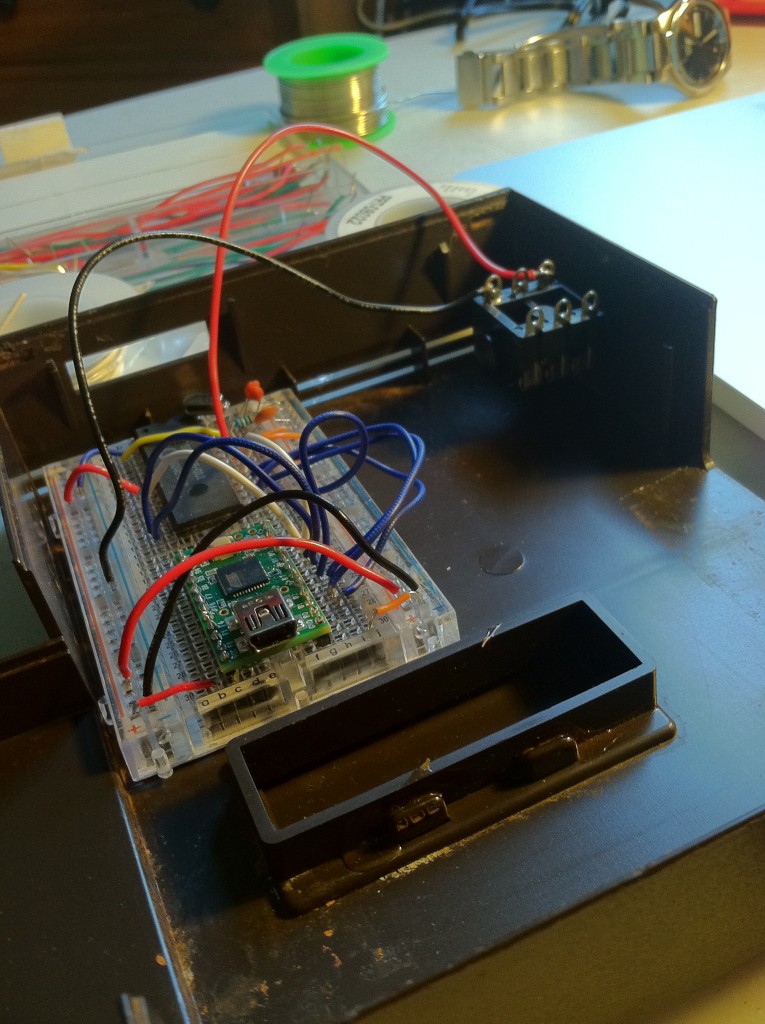
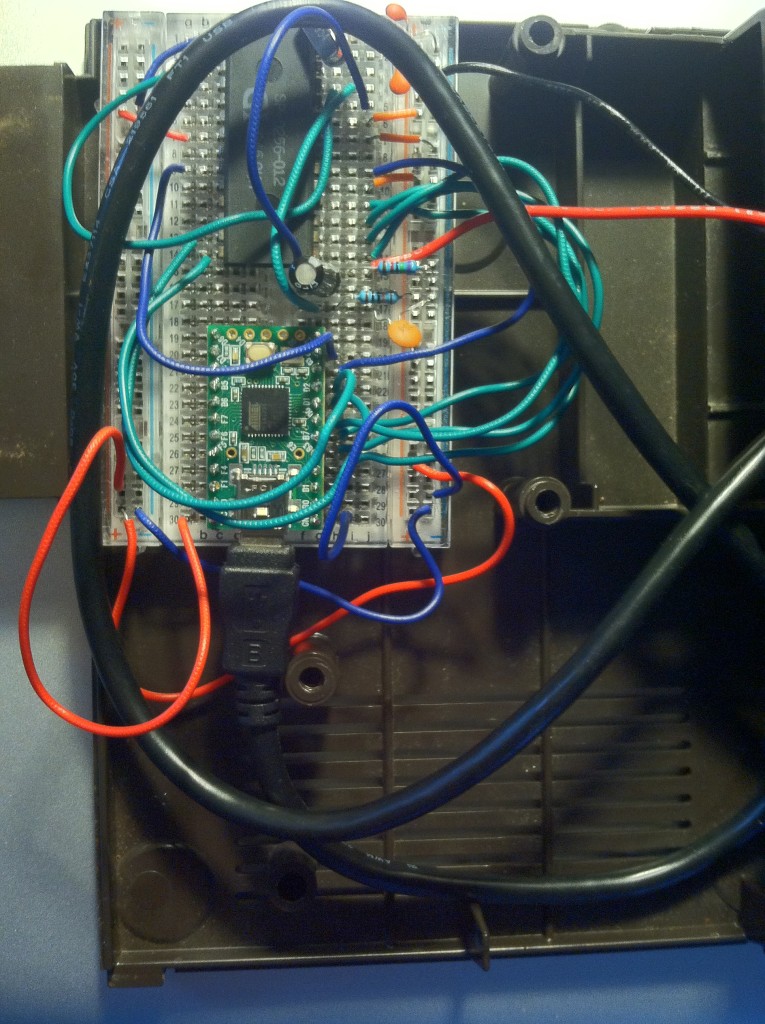
Since last time, I added MIDI control and transferred things to a smaller circuit board (and Arduino) in order to fit everything back in the original case.

intellivoice
Working out how to get the new guts into the old housing

intellivoice
USB MIDI control, 1/4″ output

So what does this little synth do? It takes MIDI notes (from a keyboard or DAW), and uses them to trigger the sounds built in to the Intellivoice chip, which, as it turns out, consist of mostly numbers.

Check it out:

I might look into a few more tweaks. Currently, each word will always play to the end, even if another word is performed before it’s finished. I’m not sure if this is a property of the Intellivoice chip, or something I could fix in my Arduino program.

Why pursue a project like this one?

Games and gaming hardware are mass-produced devices with planned obsolescence and few serviceable parts. By “hacking” and customizing gaming hardware we regain personal ownership of these devices, and we can turn obsolete equipment into performable, expressive instruments.

intellivoice
A few last-minute modifications to the audio-chain

An earlier version of this synth actually appears in the electronics of my new commissioned work, Hirazumi (more about the piece here and here), and I think the hacked Intellivoice fits perfectly into the post-digital, cyberpunk aesthetic.

MIDI-Controlled Sega Genesis Video-Glitch – Part 3

Back to the Sega Genesis Mods! If you’re catching up, check out Part 1 and Part 2.

Where we left off, I had found my glitch points, and I was going to get digging in to some kind of button control before moving on to MIDI control.

Wires soldered to the underside of the VRAM

Here are the pins of the VRAM with some wires from some selected spots. Purists might fault me for not running off of all of the 44 available points (48 minus the two VCCs and two grounds), but I didn’t have that many buttons anyway.

Not a huge fan of electrical tape, but what can you do?

Wires run to a set of female headers

After taping things down, I ran the wires to a set of headers. The reason for using headers is to keep the ability to remove the top of the Genesis if I want to get back inside for any reason.

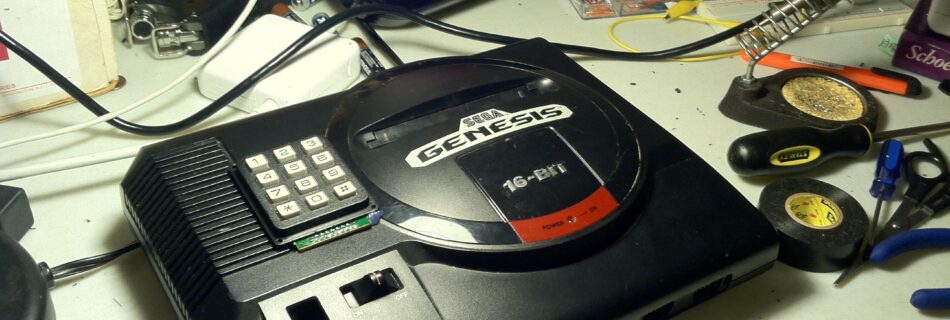
Female headers plug into phone keypad

I had a phone keyboard kicking around, and I figured this would be a simple alternative to setting up a matrix of buttons. How this works, then, is any one button connects two points (which two points hardly matters), and if one holds down multiple buttons at the same time, several data points start cross-talking with different visual results

Are you ready for this?

Behold!
Behold!

The Keypad-Controlled Glitch Genesis!

Here’s a video of it in action:

Now, of course, while I’m stoked about my new toy, this instrument is not yet what I set out to do (and what the title of these posts proclaims).

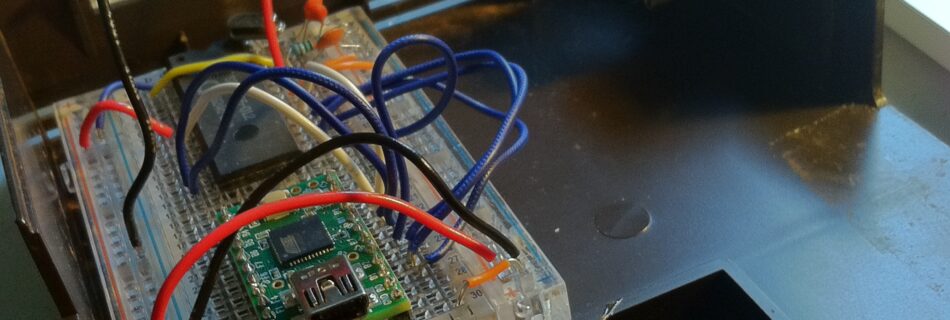
MIDI-Control, though is just a quick hop away. Next time, I’m going to get a new Teensy, install it in the Genesis, and program it to control the connections via USB MIDI control (likely with some simple transistor work).

Almost there!

MIDI-Controlled Sega Genesis Video-Glitch – Part 2

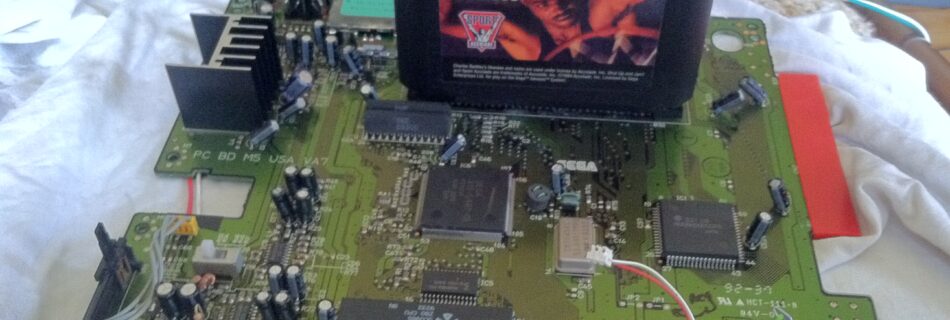
Continuing my Sega Genesis Project, now that I’ve got the video in a form my TV can understand, time to start messing with things.

Repeating my disclaimer: Messing with things plugged into an outlet is dangerous! I’m only doing this because the Genesis has an adapter that converts the voltage to 10V DC long before the power gets anywhere near the board.

When in doubt, only circuit-bend things that are battery powered. Think of how embarrassing it would be for your parents (or wife and son) to explain that you died trying to get glitchy video from a game system.

Anyway, that said, time to start poking around a bit.

I guess this is all you really need

The VRAM
The VRAM

These are the Video RAM chips whose connections I’m going to bridge. They have 24 connectors apiece, and one on each is the power, one on each is the ground, everything else (I believe) is data. So all we’re going to do is send some of that data to the wrong places.

The VRAM from the bottom

I’m going to poke around the bottom here, because the contacts are more accessible.

(By the way, the resistor and capacitor you see here are not my work, just an afterthought by the designers of the PCB.)

Let the fun begin!
Let the fun begin!

That looks pretty glitchy to me.

I’ve found a few points that give a variety of effects (relatively). The next step (next time) is going to be installing a way to control these. I’ve decided I’m going to start with a push-button system before moving on to the MIDI control for two reasons:

1.) Moving in small steps seems wise.
2.) I’ve used up this month’s tinkering budget, and I’m going to need a Teensy to get the MIDI working.

Until next time!